
The day-to-day, and the work after the sale
Tasks, calendars and email for your team, plus service tickets, checklists and contracts for the work that continues after the deal closes.
Tasks & calendar
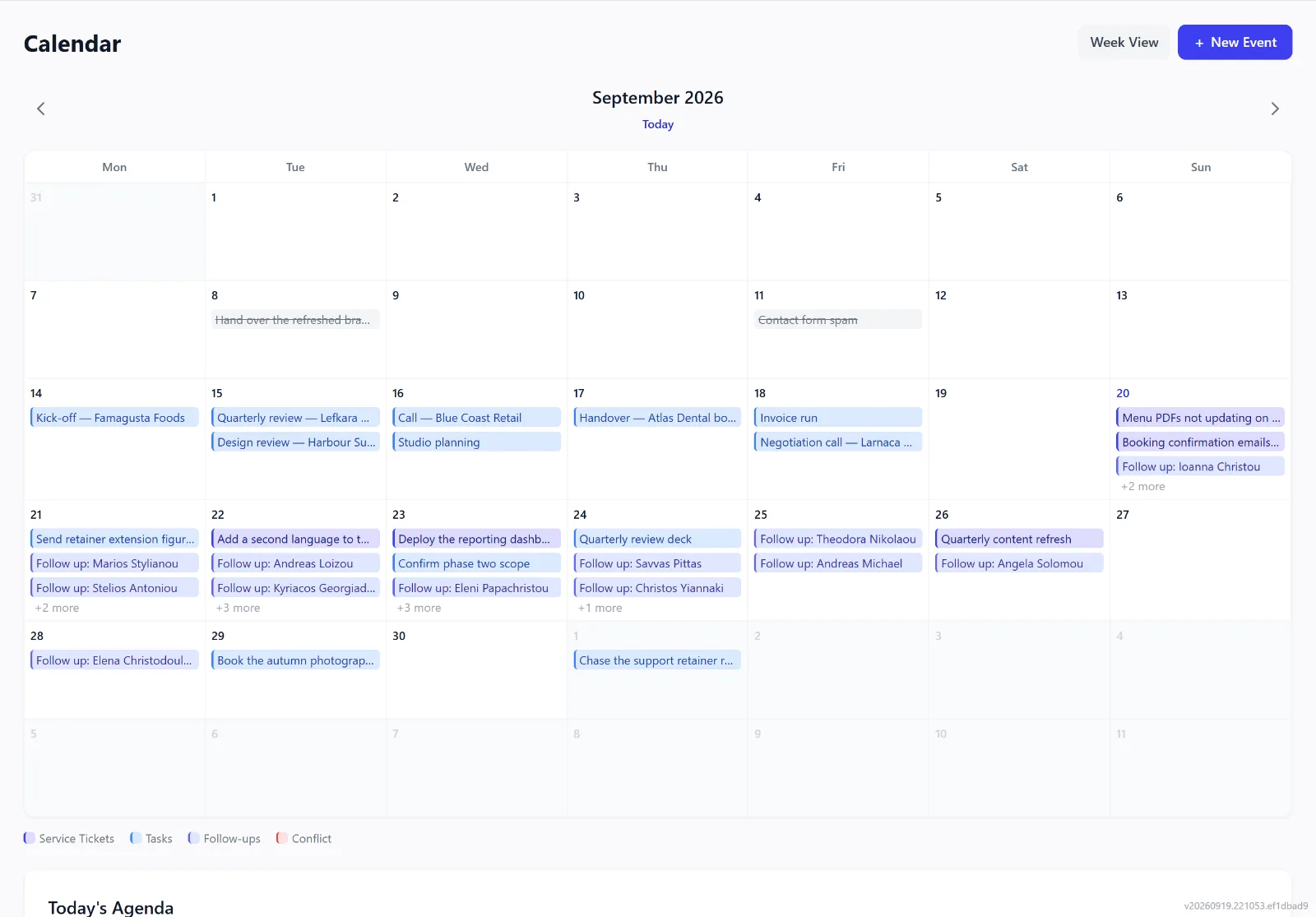
Your inbox lists everything assigned to you — overdue, due today, due this week. Tasks carry a due date, a priority, a person or a team, and the customer they are for. Book meetings, visits, service slots and reminders in your own calendar; the team calendar shows everyone’s week.
Time off, without the paperwork
Record time off — whole days or part of one — with no reason asked. Colleagues see only that someone is away; the calendars mark the days, and giving work to someone who is off shows a warning, without ever blocking the save.
Email and calls on the record
Connect a Microsoft 365 (Outlook) mailbox and email with your known leads and customers is logged on their timeline and shows in the inbox. With any other provider, forward an email — or BCC your forwarding address when you write to a customer — and it is logged the same way. Mail that matches nobody waits for you to link it.
On Enterprise, connect a 3CX phone system: calls are matched to the lead, customer or company with that number and logged on its timeline, and an unknown caller can be saved as a lead.
Each person chooses what their mailbox logs: everything from known contacts, or only what they forward.
Service tickets
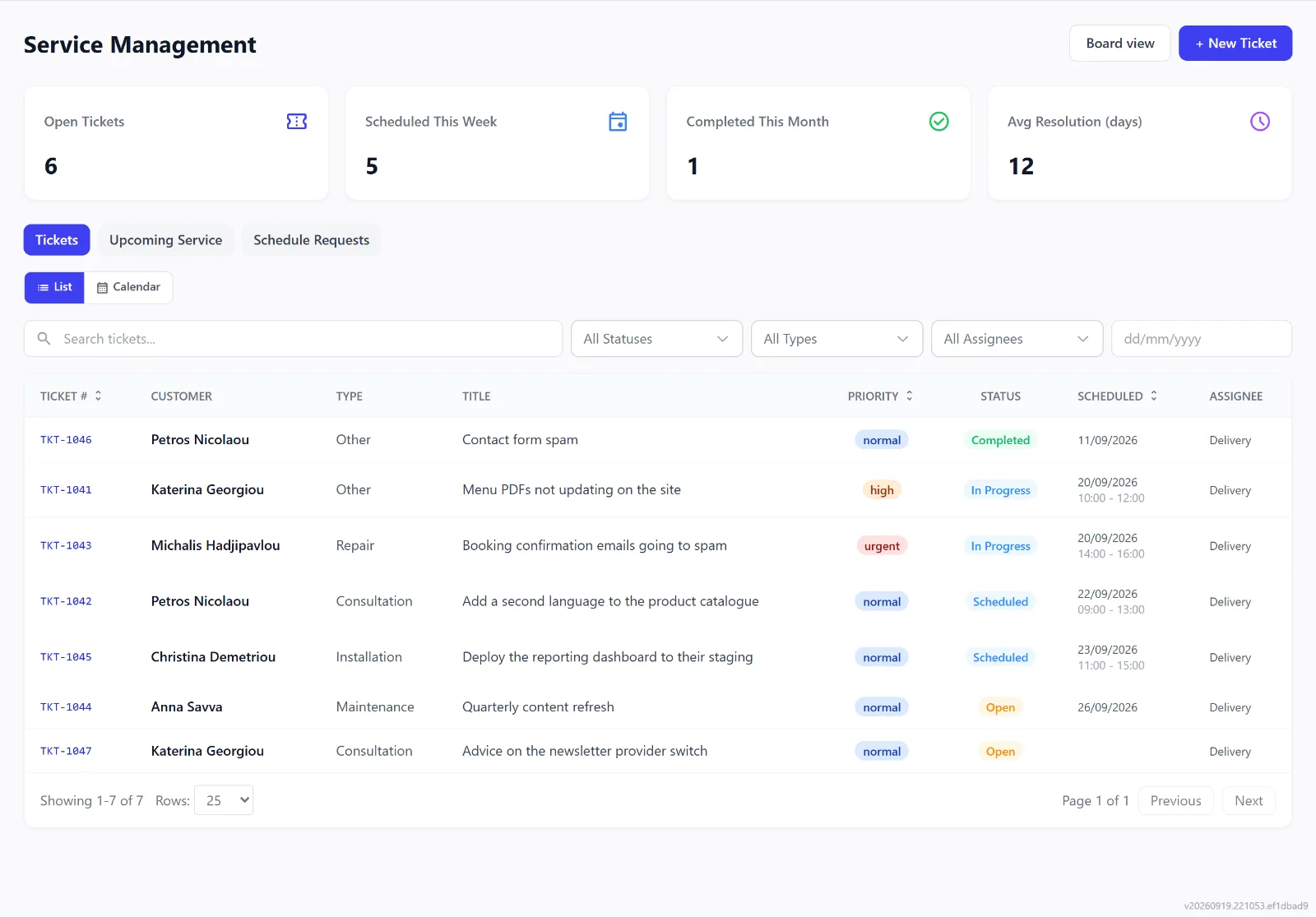
Customer requests become tickets with a type, a priority, an assignee and a date, moving from Open through Scheduled, In Progress and Waiting for Parts to Completed — with photos from before, during and after the job.
Scheduled work and checklists
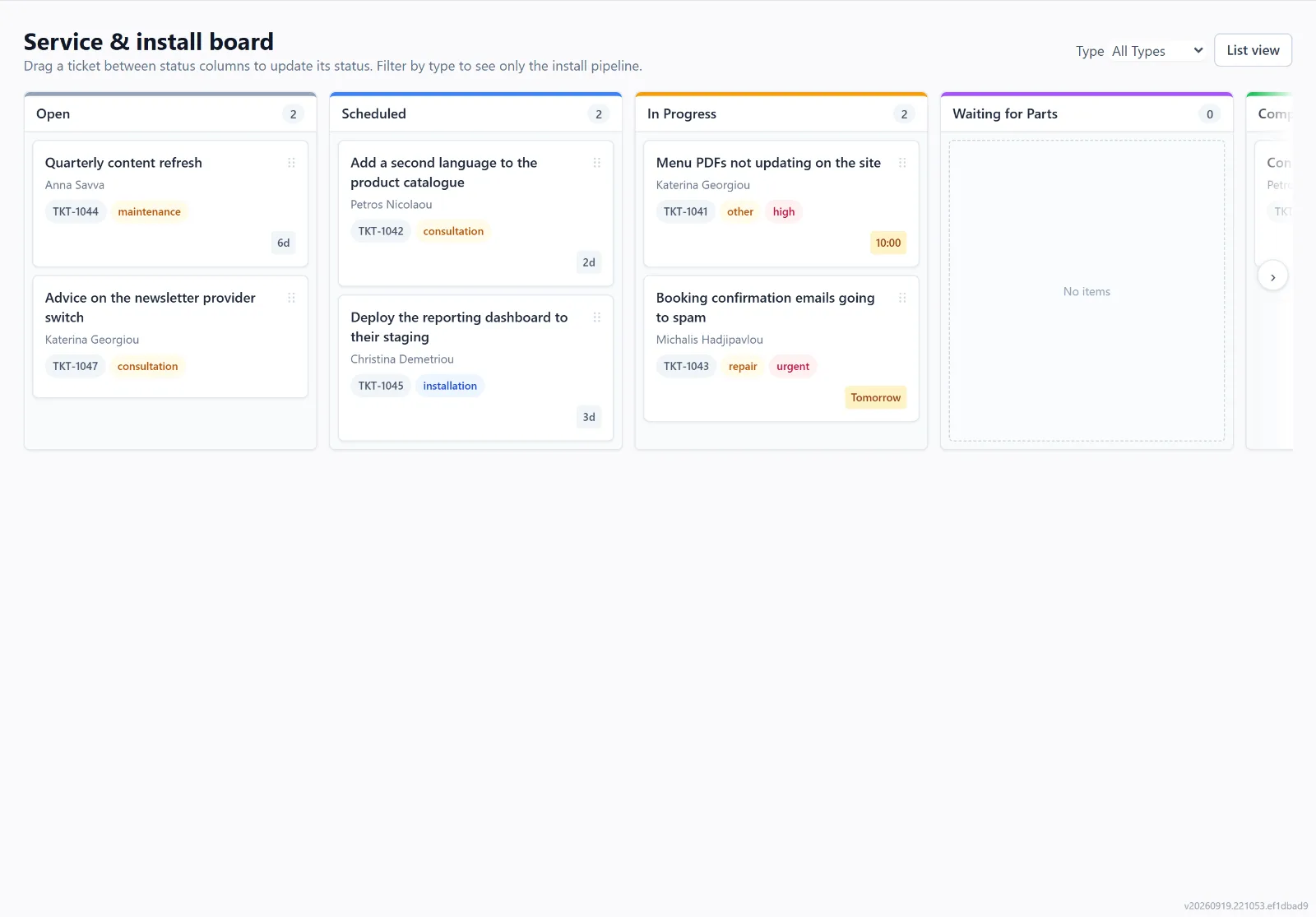
The service board shows the same tickets as columns by status. Attach a checklist to a ticket type: its items can require a photo or a note, can be done in order, and ticking the last one can close the ticket.
Products and contracts
Keep a product catalogue with prices, warranty details and stock levels, with an alert when stock runs low — the same products fill your proposals and invoices. Track service contracts: a reminder can go to the customer before one renews, and a workflow rule can act when one is about to expire.
Messages to customers, on your terms
Choose which automatic messages your organisation sends — payment receipts, overdue reminders, renewal reminders, reminders to your own team — one switch per message and channel, and pause everything to your customers at once when you need to. Mark someone Do not contact and they receive no automatic messages; when your team presses Send, it still goes.