
A clear view of every contact and every deal
Leads, customers and companies on pipeline boards that bend to how your team sells, not the other way round.
Pipeline boards
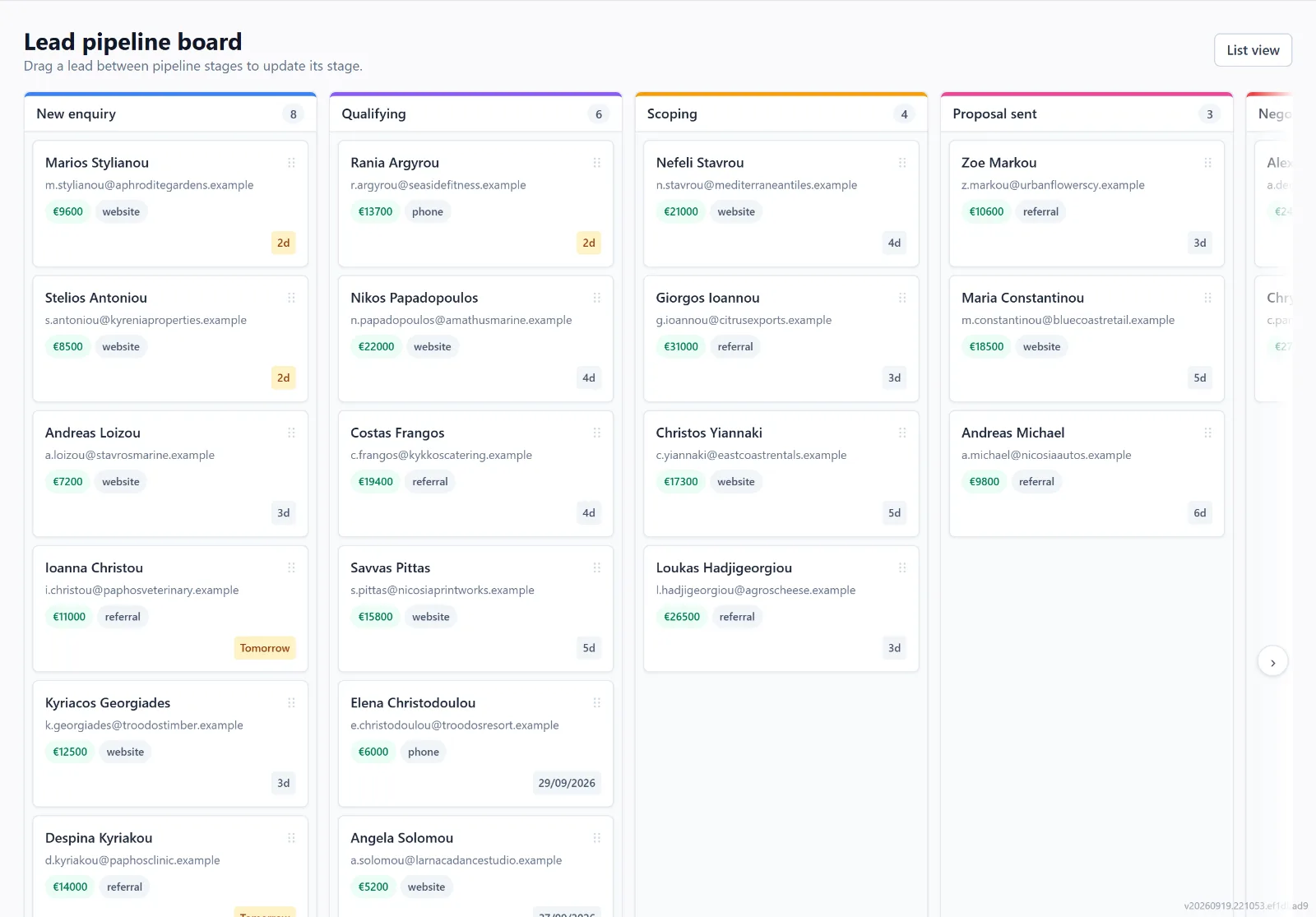
Drag leads across the stages you define — their names, order and colours are yours. Mark a stage as won, lost or converted and the lead’s status moves with it. Customers get a pipeline of their own for the work after the sale.
One record per contact
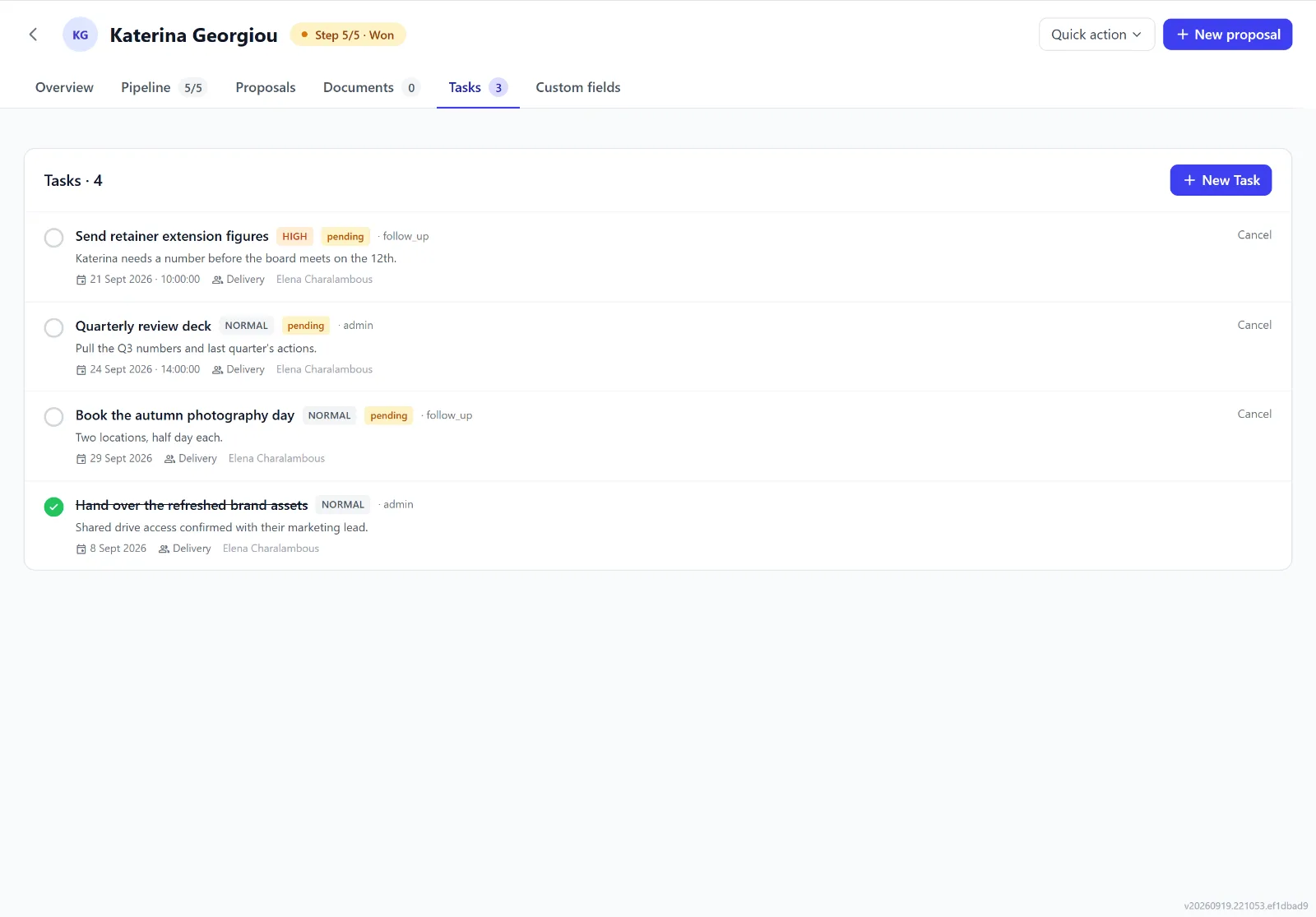
Every lead and customer is a person or a business, with its company, the other people you deal with there, its addresses, contact preferences and marketing consent. Calls, notes, tasks, documents, proposals and invoices attach to that record, so its history is in one place — and converting a lead to a customer carries all of it over.
Custom fields and tabs of your own hold the details specific to your business, and can show only at the stages, or to the people, they matter to.
Custom fields are on Growth and up.
Company details, filled in for you
Group leads and customers under their company, with its VAT number checked against the EU’s VIES register. Find company details reads the company’s own website and the VAT register, and shows you what it found to apply — nothing bought from data brokers, nothing guessed.
A personal address from a free email provider has no company to look up.
Forms for what you collect
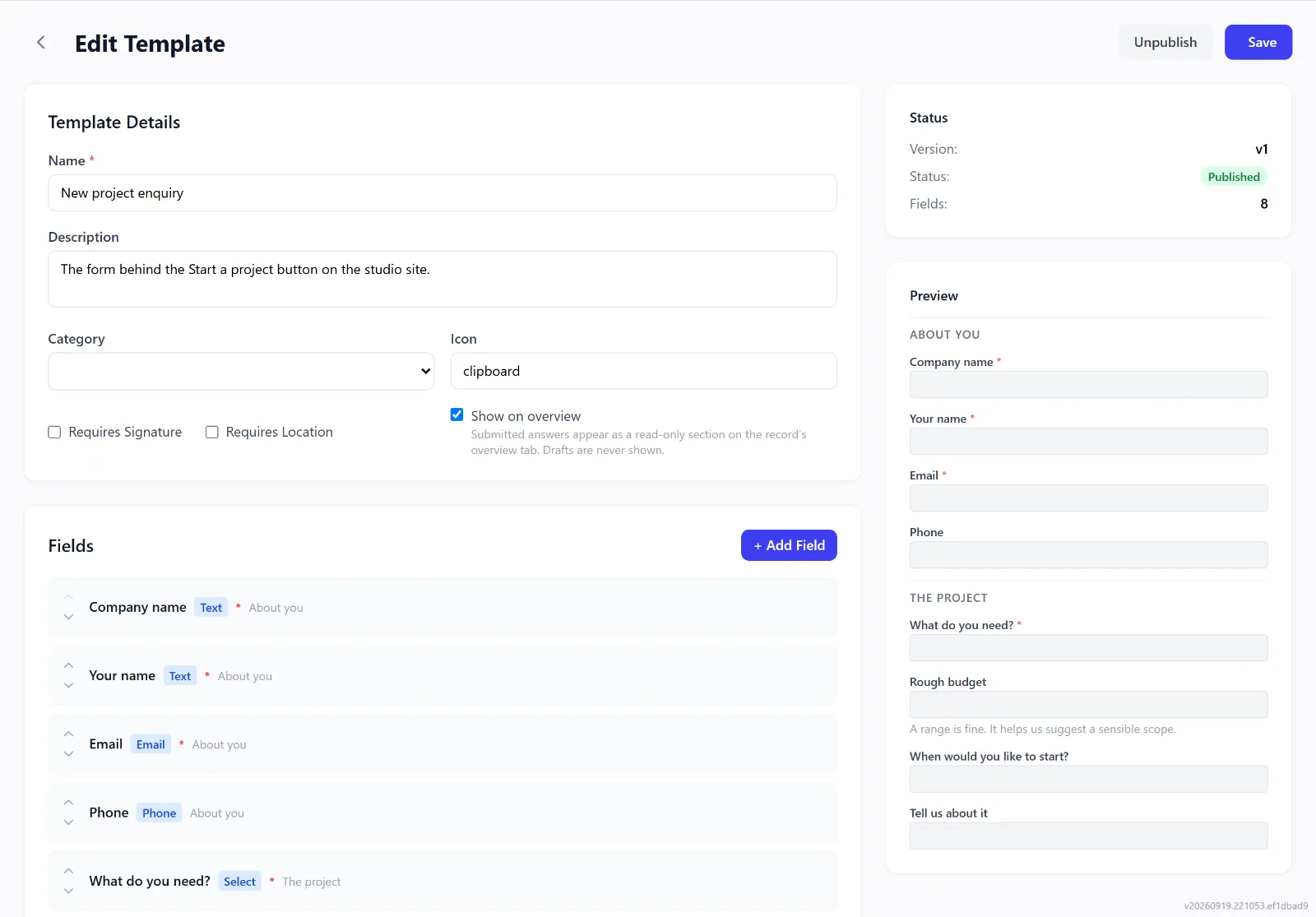
Build forms with sections and fields that appear only when they apply, fill them in against a customer, and export the result as a PDF — for site surveys, intake questionnaires or handover sheets.
Forms are on Growth and up.
Bring your data with you
Import customers, products and invoices from CSV files, including exports from Zoho. Invoices are matched to their customers by the customer id from your old system, duplicates are skipped, and imported invoices send no automatic reminders until you switch them on — so nobody is chased for last year’s bill.
AI Import, an add-on, maps less tidy Excel or CSV files for you and keeps the same links.
Data import is on Growth and up.
Your team, and who sees what
Put people in teams — teams can sit under teams — and give each person a role: owner, admin, manager, staff, read-only, accountant, or one you define. A role sets each feature to none, view or full, and how far it reaches: a person’s own records, their team, the teams under it, or everything. When someone leaves, their leads, customers and tasks are handed over first.
Nothing lost quietly
- An audit log of every change — who, when, and each field before and after — kept for 24 months and editable by nobody.
- Sign-in history, with failed attempts and where they came from.
- Recently deleted: restore a deleted record within 30 days, or 90 for a lead.
- Two-step sign-in with an authenticator app.