
Let the routine run itself
Workflow rules for the repetitive parts, AI that drafts and summarises for a person to check, and reports that show what is working.
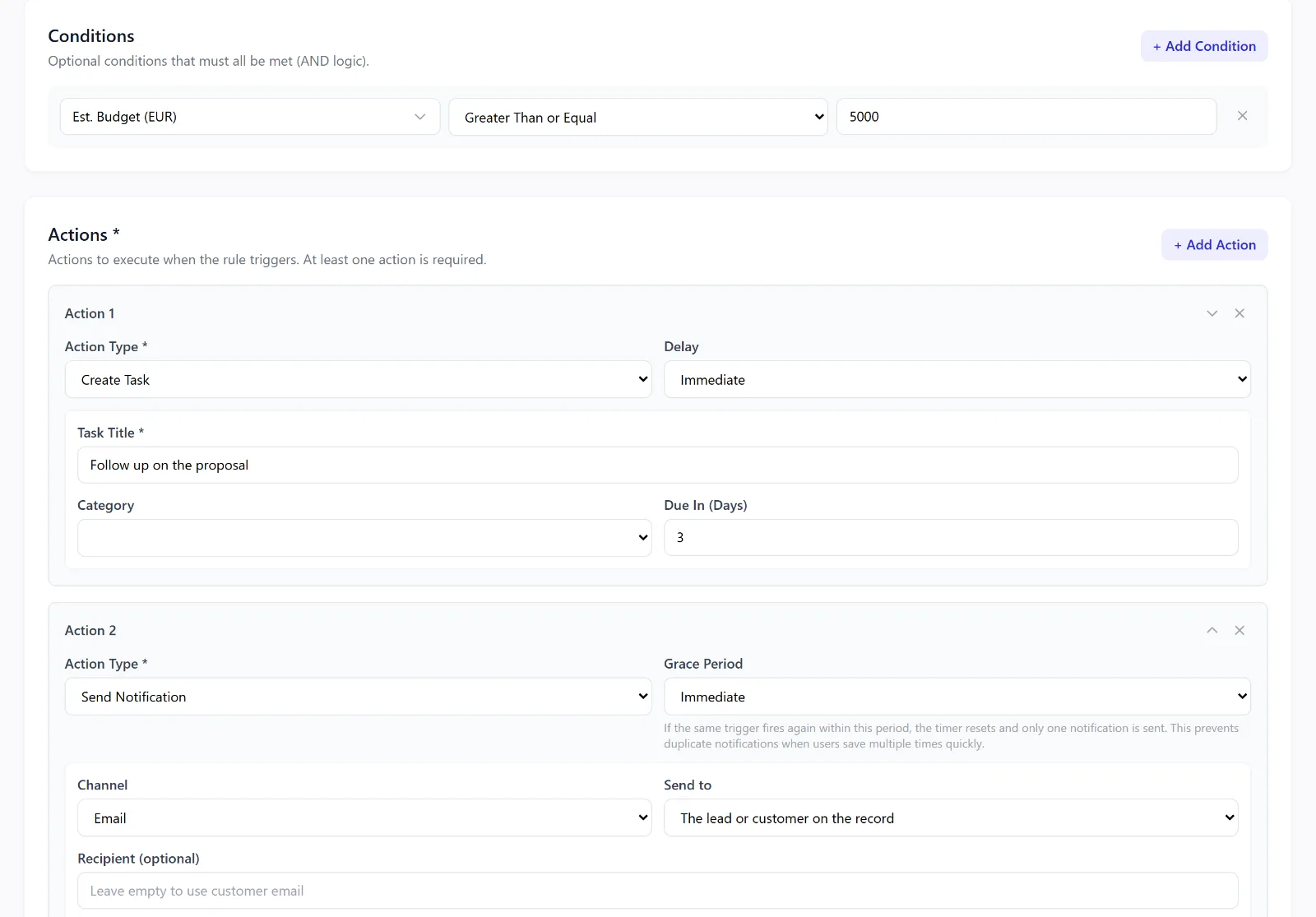
Workflow automation
Pick a record and a trigger: a lead reaching a stage, a field changing, a record being created, a lead converting, a document being added, a proposal being viewed, an invoice being paid or going overdue, a contract about to expire, stock running low, or a date arriving. Then choose what happens — email the customer or notify your team, create a task, update a field, add a tag or an activity, assign the lead — and stop thinking about it.
Workflow automation is on Growth and up. A rule can be switched off without deleting it.
AI drafts, sent by a person
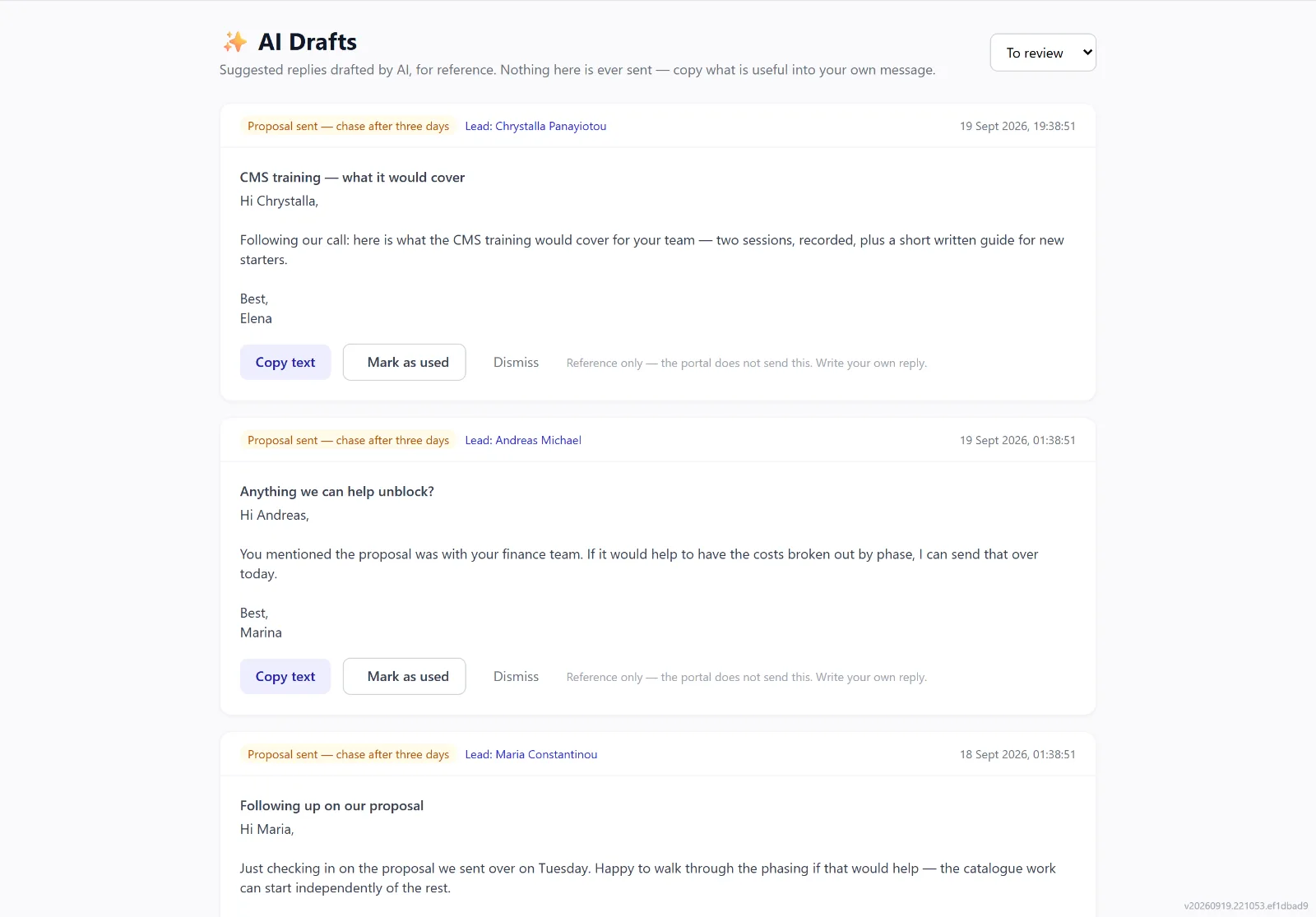
A workflow rule can ask AI to draft an email from the record’s own history; AI can suggest what to say to a lead that has gone overdue, or draft a reply to an email thread in the customer’s language. Every draft waits in the AI Drafts queue for someone on your team to read, copy into their own message and send.
Intellayer never sends an AI draft on its own. There is no send-on-approval and no scheduled dispatch — a person sends the message that goes out, every time.
AI that knows your records
- Data assistant. Ask about your own records in plain English or Greek and get an answer from live queries, with the rows it rests on. It reads; it changes nothing. With the assistant actions add-on it can prepare a task or a note, created only when you confirm it.
- Briefings. A short catch-up on a lead or customer: activity, notes, proposals and messages in a few lines.
- Lead signals and ticket triage. Competitor mentions, financing questions and urgency read from a lead’s notes; a suggested type and priority for a new service ticket, with the customer’s service history summarised.
- Your own AI apps. Connect Claude, ChatGPT or Copilot so they can read your records — as you, with your access, and read-only.
AI features are add-ons, available on every plan. An account admin switches on the ones you want; their use draws on a monthly AI allowance, bought as a package in the app, where the prices are shown. The AI provider is named on our sub-processors page.
Reports
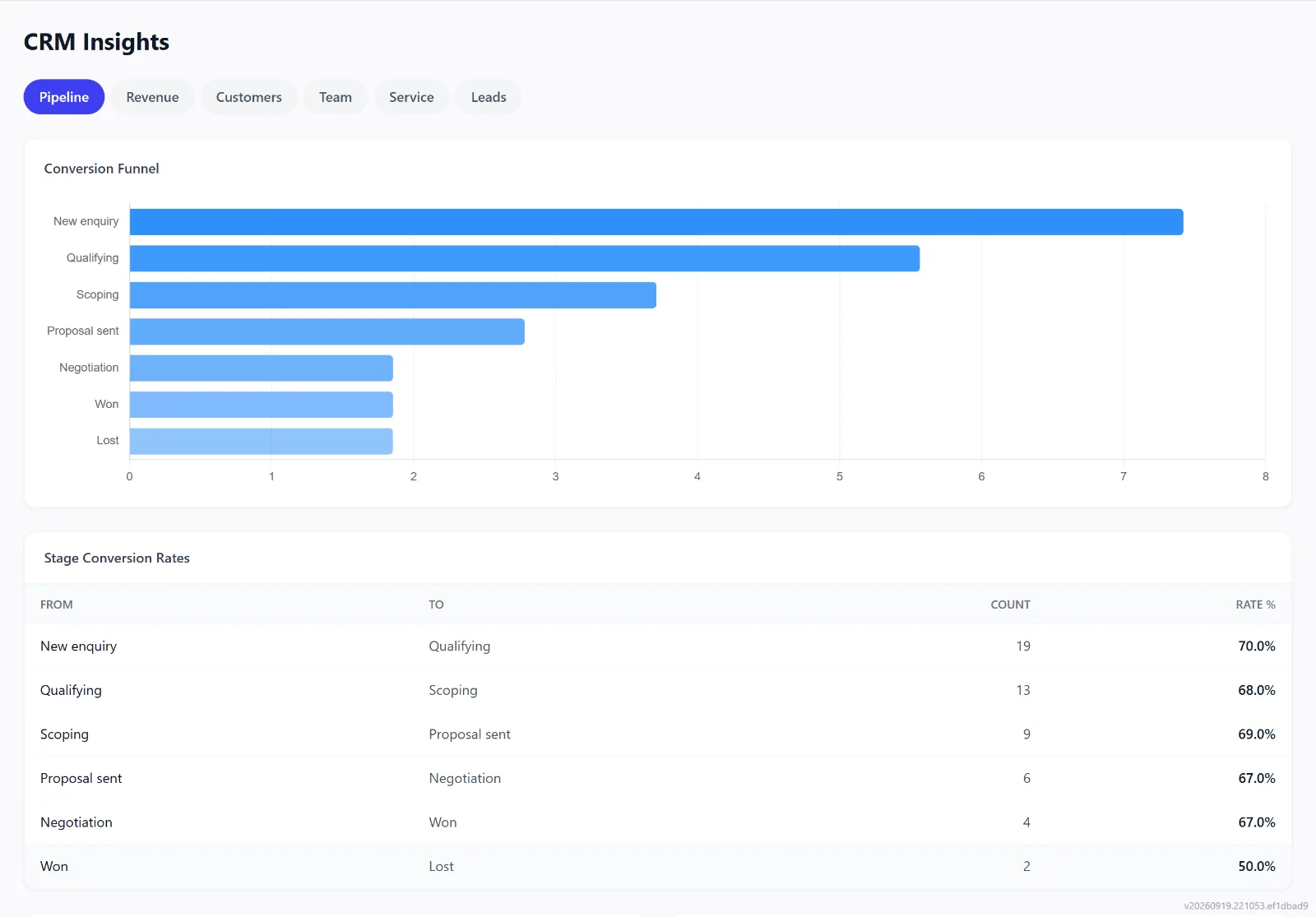
Run reports on where deals sit, what closed and what stalled, export them as PDF or CSV, and save the ones you use. On Pro and up, the CRM Insights and Sales Performance dashboards cover pipeline, revenue, customers and service, per salesperson.
Advanced reports from Growth; CRM Insights and Sales Performance on Pro and up.
Connected to the tools around it
The integrations page lists every connection with its status, its last sync and any error.
- Payments: your own Stripe or Viva account.
- E-signature: your own DocuSign account.
- Email: Microsoft 365 (Outlook) mailboxes, and a forwarding address for any provider.
- Accounting: Xero or QuickBooks, on Enterprise.
- Phone: 3CX, on Enterprise.
- Everything else: the API and webhooks, on Pro and Enterprise.